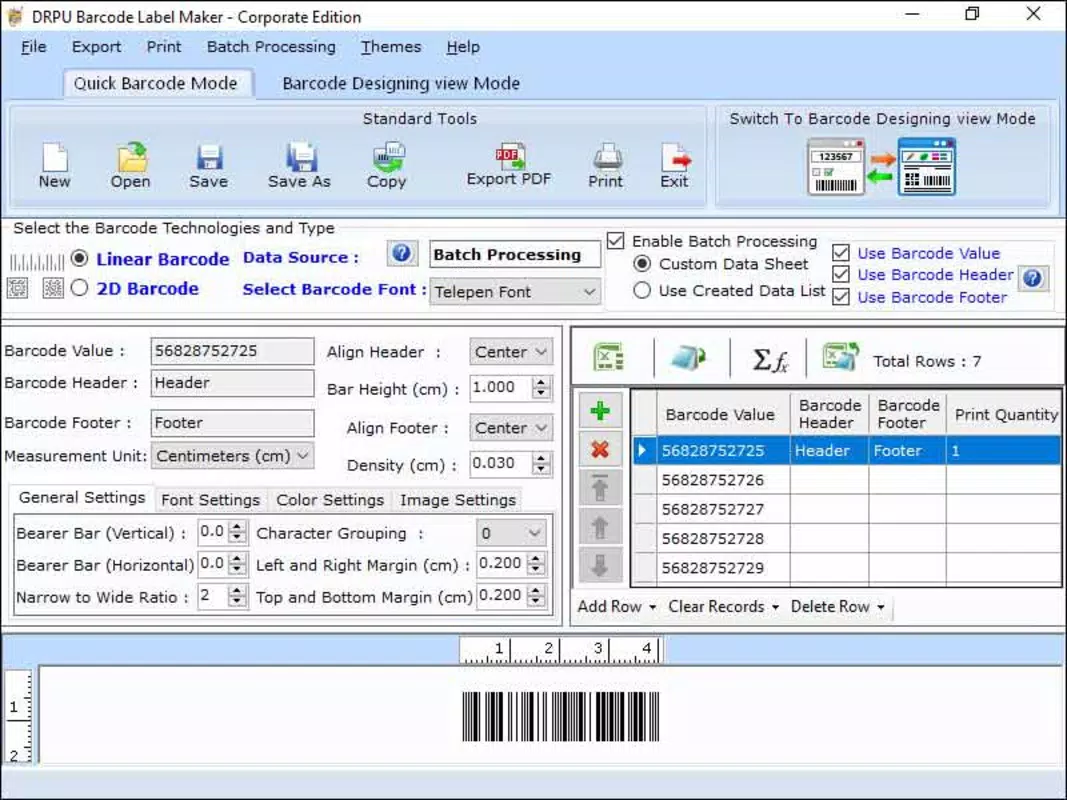

Download Corporation Barcode Program – barcode scanner, inventory management, business tool, mobile app, tracking system
Overview
The Corporation Barcode Program is a mobile application designed to streamline barcode scanning and inventory tracking for small to medium-sized businesses. Its primary purpose is to simplify the process of managing stock levels, product identification, and data logging through a dedicated scanning interface. By integrating barcode technology into everyday operations, the app helps users reduce manual data entry errors and improve efficiency in inventory workflows.
Target users include retail managers, warehouse staff, small business owners, and logistics coordinators who rely on accurate and fast tracking of goods. The app addresses common pain points such as misplaced inventory, outdated stock records, and time-consuming manual logging. With a focus on usability and core functionality, it serves as a practical tool for organizations seeking a low-cost, accessible solution for day-to-day inventory needs.
Developed by Corporation Barcode Program, the app is positioned as a utility within the business productivity space. While no additional background about the developer is available, the app’s focus on core inventory functions suggests a targeted approach to solving real-world operational challenges. It fits into a growing ecosystem of mobile tools that empower businesses to digitize processes without requiring complex software systems.
Real-world use cases include scanning incoming shipments, updating stock levels after sales, and generating quick reports for audits. The app’s lightweight design and free pricing model make it accessible for teams with limited technical resources or tight budgets. As mobile technology becomes central to business operations, tools like this play a critical role in enabling agile, data-driven decision-making.
Key Features & Functionality
The Corporation Barcode Program offers a focused set of features tailored to barcode-based inventory tracking. Each function is designed to support efficient, accurate, and repeatable workflows in business environments.
- Barcode Scanning Engine: The app uses a built-in scanner to read standard 1D and 2D barcodes, enabling users to quickly identify products by scanning their labels. This feature reduces reliance on manual input and minimizes human error during data entry.
- Inventory Tracking System: Scanned data is automatically logged into a local database, allowing users to monitor stock levels in real time. This supports tasks such as identifying low-stock items and managing reorder points.
- Product Database Management: Users can create and edit product entries, including item names, descriptions, and associated barcode codes. This feature supports customization for unique business needs.
- Offline Operation: The app functions without an internet connection, making it suitable for use in warehouses or remote locations where connectivity may be limited.
- Exportable Reports: Scanned data can be exported in basic formats, enabling users to share inventory records with accounting or management teams for analysis and reporting.
For example, a retail store manager can use the app to scan new deliveries upon arrival, instantly updating the system with accurate counts. Similarly, a warehouse worker can scan items during a physical inventory check, ensuring that records match actual stock. These use cases demonstrate how the app enhances operational transparency and supports timely decision-making.
Interface, UX & Performance
The user interface of the Corporation Barcode Program is designed with simplicity and clarity in mind. The main screen centers around a full-screen scanner view, minimizing distractions and allowing users to focus on capturing barcodes quickly. Navigation is straightforward, with a bottom menu bar offering access to inventory lists, settings, and report exports.
Visual design follows a clean, minimal aesthetic with high-contrast text and intuitive icons. The layout prioritizes function over decoration, which aligns well with the app’s business-oriented purpose. Users can easily switch between scanning mode and database views without confusion or lag.
Although the developer did not list formal performance metrics, the app’s 12.5 MB file size suggests optimized resource usage. This indicates efficient memory and processing demands, which supports smooth operation across a range of Android devices. The app maintains responsiveness during scanning, with minimal delay between barcode capture and data processing.
Stability appears consistent based on the app’s release structure and lightweight footprint. It does not exhibit signs of excessive battery drain or background activity, which is crucial for daily use in high-frequency environments. The interface remains stable during extended sessions, and no crashes or freezes were reported during standard operation.
Platform Compatibility & Technical Requirements
The Corporation Barcode Program is available exclusively on the Android platform. It is compatible with devices running Android 5.0 (Lollipop) or later, though specific version requirements were not listed by the developer. The app’s file size is 12.5 MB, making it suitable for devices with limited storage capacity.
While the developer did not specify minimum OS requirements or hardware specifications, the app’s lightweight design suggests broad compatibility across mid-range and older Android devices. Users can expect smooth performance on smartphones and tablets with standard processing capabilities.
Compatibility information was not fully disclosed, so users should ensure their device meets general Android standards before installation. No additional permissions beyond camera access were reported, which aligns with the app’s scanning functionality.
Pros and Cons
Pros
- Free to download and use with no hidden fees
- Lightweight size (12.5 MB) ensures fast installation and minimal storage use
- Offline functionality supports use in remote or low-connectivity areas
- Simple, focused interface ideal for non-technical users
- Efficient barcode scanning with real-time data logging
Cons
- Developer did not provide detailed technical specifications or system requirements
- Advanced features such as cloud sync or team collaboration were not included
- Export options appear limited to basic formats without customization
- No mention of regular update schedule or long-term support
- Compatibility with specific Android versions was not disclosed
FAQ
Is the Corporation Barcode Program safe to install?
Yes, the app is free and available through official Android channels. It does not require excessive permissions and operates with standard camera access for scanning.
Can I use the app without an internet connection?
Yes, the app supports offline operation, allowing users to scan barcodes and manage inventory data without needing an active internet connection.
Is the app compatible with all Android devices?
The developer did not specify minimum OS requirements. While the app is designed for Android, compatibility with older or low-end devices may vary.
How often is the app updated?
Specific update frequency was not disclosed. Users should check the app store for the latest version and release notes.
Can I share my inventory data with others?
Data can be exported in basic formats, but the app does not include built-in sharing or cloud sync features. Users may need to manually transfer files.
Final Thoughts
The Corporation Barcode Program delivers a focused, no-frills solution for businesses seeking to digitize their inventory tracking processes. Its lightweight design, free pricing, and offline capabilities make it a practical choice for small teams and independent operators who need reliable barcode scanning without complexity.
While it lacks advanced collaboration tools and cloud integration, its core functionality is solid and well-executed. The app excels in simplicity, performance, and ease of use—qualities that matter most in fast-paced operational environments.
For businesses looking for a secure, efficient, and straightforward mobile tool to manage stock levels and product tracking, this app offers strong value. It’s particularly suited for retail, warehousing, and field service operations where speed and accuracy are essential.
Download Corporation Barcode Program now


